
Click on the  button at the top-right. This will bring up a form that will allow you to name the new school year (e.g. 2013-14), along with the description (e.g. 2013-14 School Year), and then put in all of the start dates for each quarter (or trimester) and the last day of school.
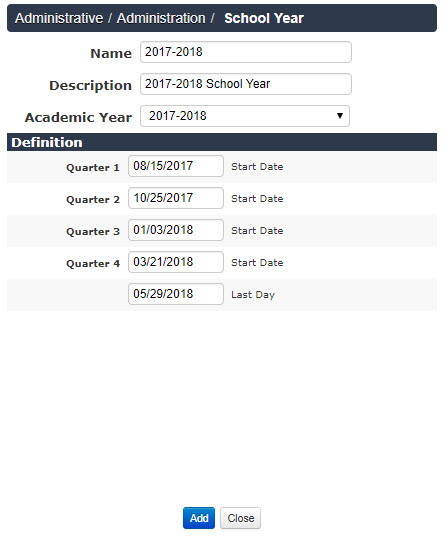
Any future modifications will need to be done on a day-by-day basis, so the more accurate you can make this calendar, the less future work you will have. If you create a calendar for Admissions without putting in dates for your quarters, you will have to go back into your calendar and edit EACH DAY. Include quarter start dates, even if they may require future tweaking.