
How do I remove a family from a student (for example, if a student is moved from
one divorced parent's family to another)?
You can easily remove a family from a student in just a few steps.
First, navigate to the student by going to Back Office | Students | Current and select your
student by clicking on their Student ID. This will open the students profile.
Under Family Information, select the down arrow like in the example: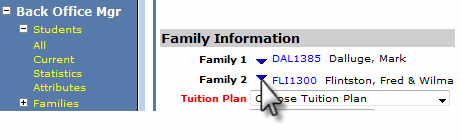
A new screen will pop-up, and simply select clear: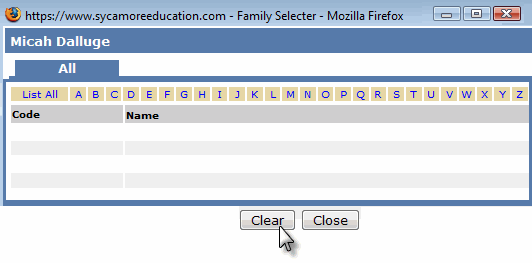
That's it...the family is now removed.