Open CSV file in Excel
Highlight the ISBN column to select all
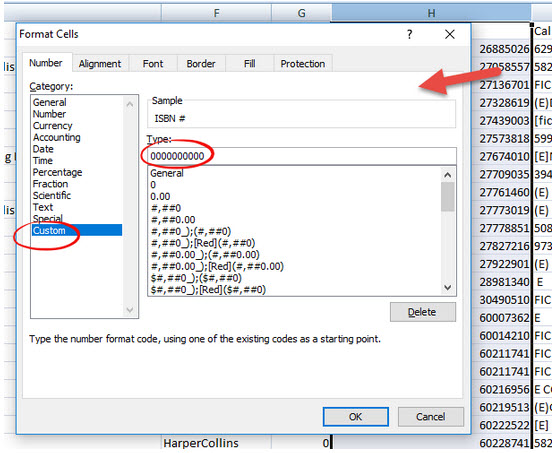
Right click and use Format Cells
Select category Custom
In Type enter 10 0's, 0000000000, then OK.
That will have the leading 0's there.
This may need to be "Save As" a type .xlsx in order to hold onto that formtating.