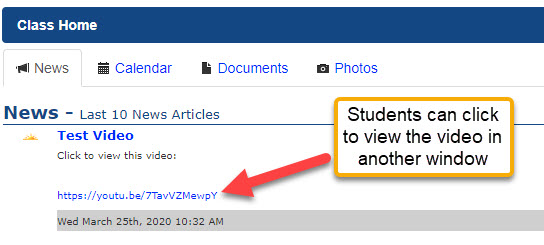
Due to the size of video files and various ways browsers handle those, we recommend uploading videos to a cloud-based area, like Google Drive or YouTube and making the video or image "Viewable by anyone with the link." You can then copy and paste the link into a news item or class assignment in Sycamore for the students to click on. It will open into another browser tab where they can view it.
If using Google Drive:
Upload the video to your Google Drive
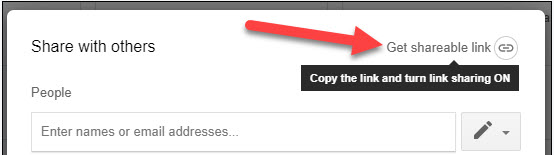
2. Right-click on the video in your Google Drive and choose share in the upper-right of the screen that opens Get Sharable Link:
3. In Sycamore, go to the Classroom | Class | News and click on the New Article in the upper-right
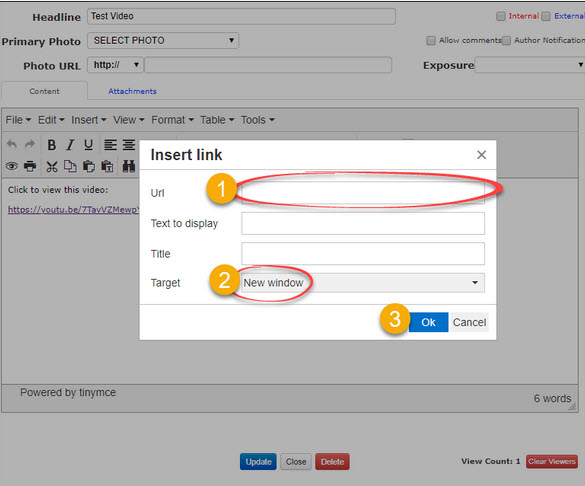
4. Add a Headline and then in the text area, type any verbiage and click on Insert | Link
5. Add the URL (1) Make the Target = New Window (2) and then Ok (3)
Now the students will be able to access the video by clicking on the link from the class homepage: