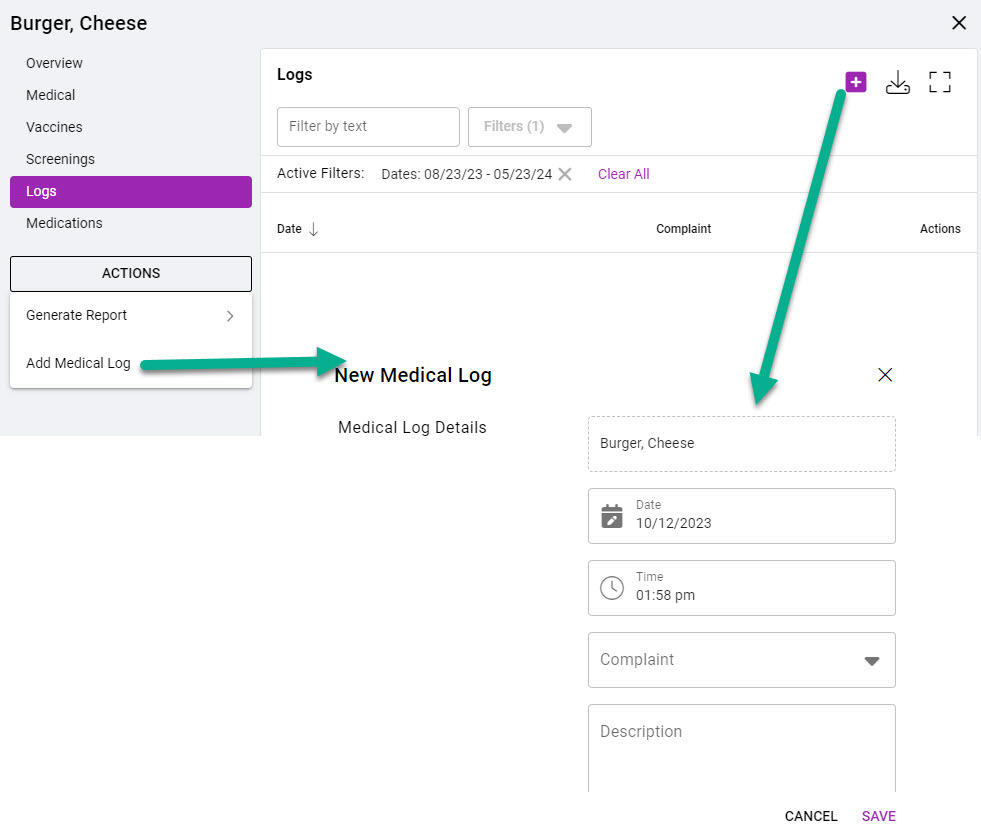
Medical Logs can be added from the Logs, Students OR Student profile. In sycamore.school 3.0 - go to the Medical menu module. The instructions below will walk through how to create a medical log from the Students tab.
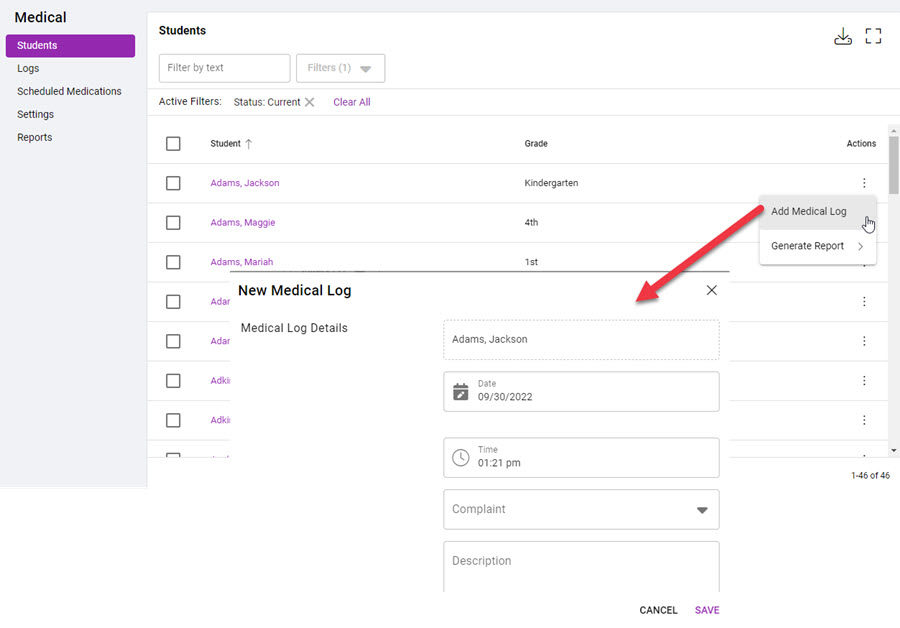
Students Tab - Student Listing:
- Click on
 under Actions.
- Click 'Add Medical Log.'
- Enter medical details.
- Click SAVE.
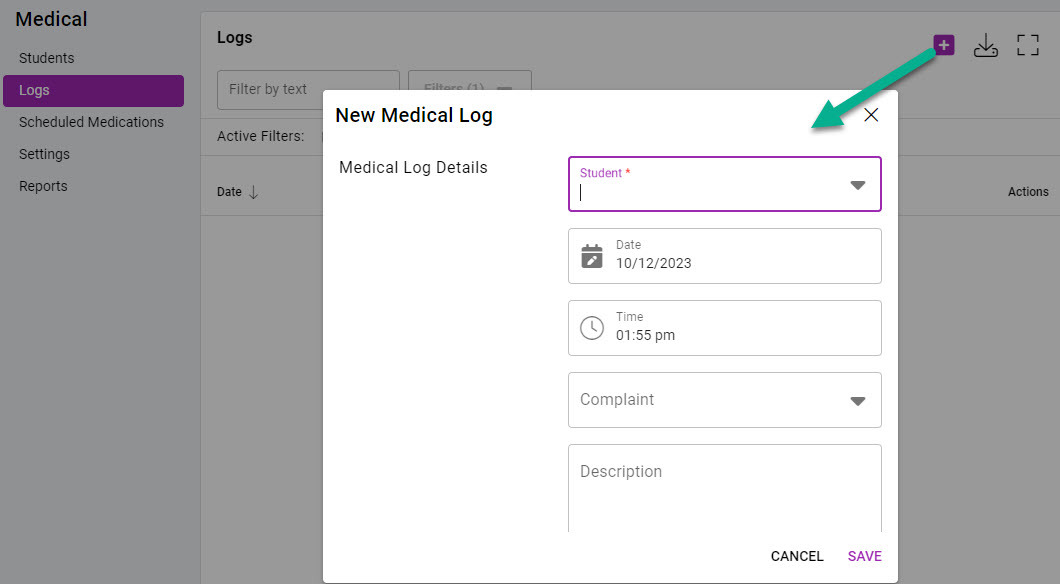
Logs Tab:
- Click on
 .
- Select a student.
- Enter medical details.
- Click SAVE.
Students Tab - Student Profile:
- Go to the Logs tab and click on OR click on ACTIONS and select Add Medical Log.
- Enter medical details.
- Click SAVE.