
An export into a csv format can be done. These steps do include some sorting and deleting, but it should get what you need.
Go to Accounting Mgr - Families - Accounts and click on the blue balance for the account you are wanting to pull the data for.
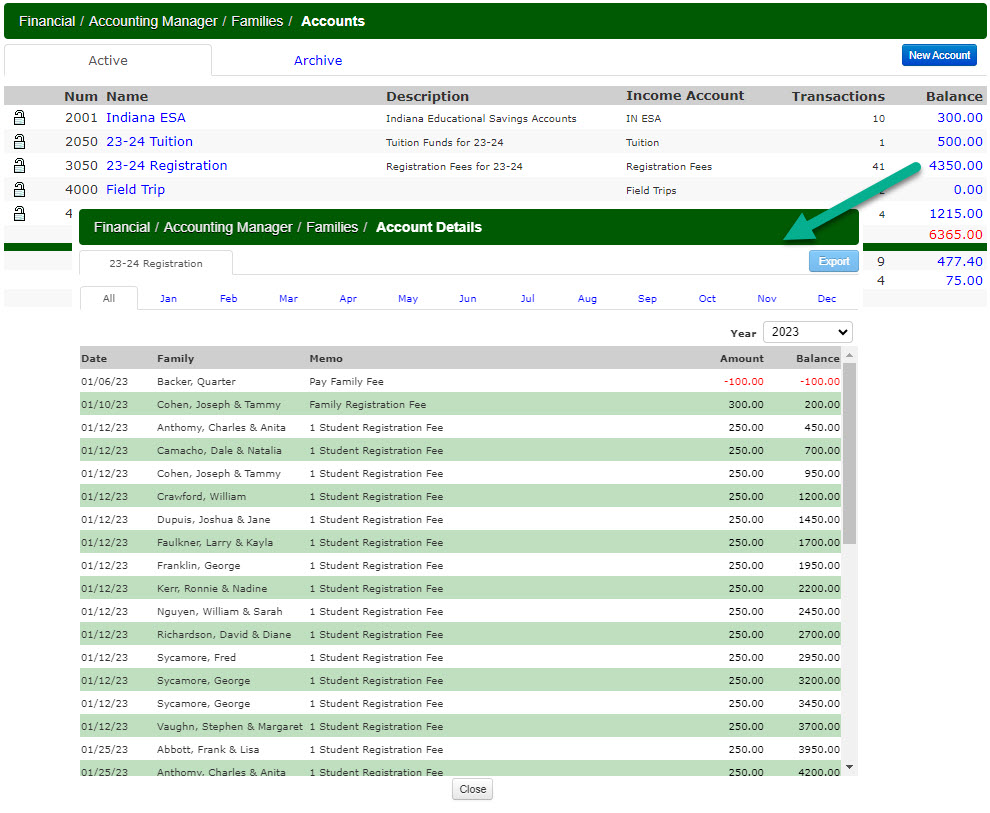
Select the year and click the All tab to get all months for that year. Then, I clicked the Export button. This created a file that contains both payments and charges and all months for the selected year. Sort the file by the Amount column so that payments and charges are together. You'll then be able to easily delete the rows with the charges. Then, sort by the date column and delete the months you don't need. If you need to get data for an additional school year, just repeat this process by selecting that other school year. Now, you can combine both school years into one file.