
If you have non-high school students who are taking high school level classes and you want the classes to appear on the high school transcript, then you can do the following:
If using HS Format B:
- After the grade has been posted, go to the Back Office Mgr | student's profile | Grades tab | Transcript button.
- Click on a class name in blue or click on the blue 'New Entry' button to create a new trancript entry.
- Check the box called 'HS Credit.'
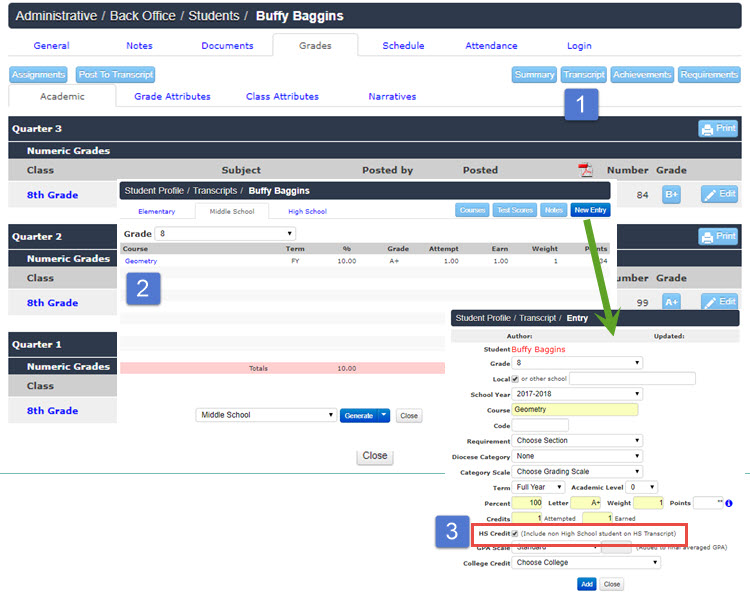
When you are ready to generate a high school level transcript, then the class(es) will be included .
If using HS Format A:
- After posting grades, you will need to change the grade level of the class to 9th, and may edit name to designate it as an 8th grade class
- OR, create a new entry for this grade for HS 9th grade so it shows in both places.